Okay... so like, someone needs to teach me exactly how to put custom speedmods into Stepmania 5. That speed up at the start of Session 9 is... well. Stupid without Cmods. XD
EDIT - Stupid like a FOX! (I still want to know how to change my mods though >_>)
Okay... so like, someone needs to teach me exactly how to put custom speedmods into Stepmania 5. That speed up at the start of Session 9 is... well. Stupid without Cmods. XD
EDIT - Stupid like a FOX! (I still want to know how to change my mods though >_>)
Changing the mods for stepmania 5 used to be pretty simple, but they made it kind of dumb with alpha 1 for some reason. If you have anything before alpha 1 all you have to do is go to the stepmania 5 folder, navigate to data, then find speedmod.txt there. Just open it up, add in whatever speedmod you want to the line of speedmods (like if it said 3x,4x,5x and you want 3.5x just write 3x,3.5x,4x,5x) and that should work.
If you do have alpha 1 though you have to find the speedmod.txt that's in your machine profile saves, which is considerably harder to find. For me with a windows it's just under my username, then appdata, roaming, stepmania 5, save, and then machine profile. Here's the ones for Mac and Linux if you have that
Mac OS X: /Users/<username>/Library/Preferences/StepMania 5
Linux: /home/<username>/.stepmania5/Save
Finally, if your using vista or higher you won't be able to change the .txt file if it's in program files, because vista and higher is stupid. Also if you add a Cmod make sure the C is capital in whatever you write, otherwise it won't get it.
Anyways hope that helps, and that you didn't just google this and figure out the answer before I got to it lol >.<
Originally posted by Findarian
get a sand hack and don't chicken scratch it and if someone does something stupid hack burn
Originally posted by Dannytwobyfore
I wouldn't blame them, playing jump dense Konami files in DDR would make anyone's dick hard, maybe that's why the only thing anyone does anymore is stream.
Okay... so like, someone needs to teach me exactly how to put custom speedmods into Stepmania 5. That speed up at the start of Session 9 is... well. Stupid without Cmods. XD
EDIT - Stupid like a FOX! (I still want to know how to change my mods though >_>)
What the hell is this?! J1?! lmfao.
PS. I refuse to use sendspace. Can someone upload a mirror using something that doesn't suck ass.
Really fun file, I'll definitely keep trying to improve :}
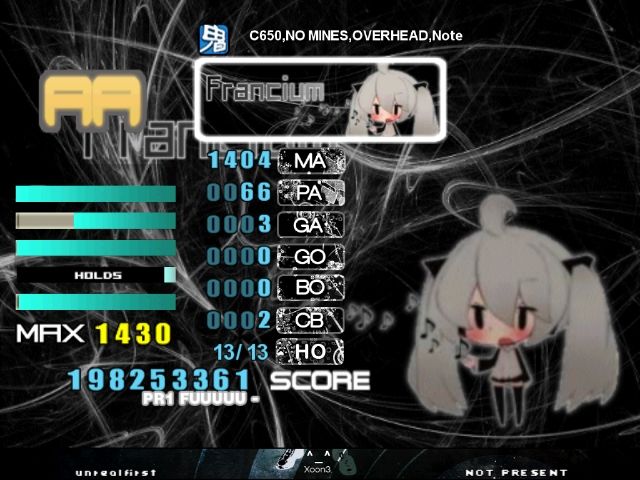
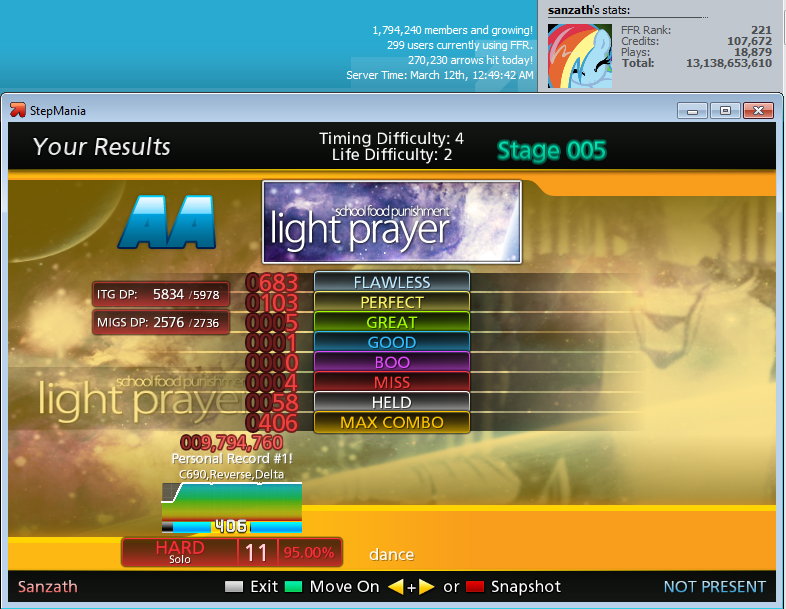
edit: By the way, since you're calculating scores using both MIGS dp and MAX, I have a question. Say you have two scores, one with good MIGS and bad MAX, the other with good MAX and bad MIGS. Which score is kept? Is one used for MIGS and the other for MAX?
That is all. Thanks
11 years of dance games... Should be quadding tbh XD
Originally posted by FrozenAngel91
Changing the mods for stepmania 5 used to be pretty simple, but they made it kind of dumb with alpha 1 for some reason. If you have anything before alpha 1 all you have to do is go to the stepmania 5 folder, navigate to data, then find speedmod.txt there. Just open it up, add in whatever speedmod you want to the line of speedmods (like if it said 3x,4x,5x and you want 3.5x just write 3x,3.5x,4x,5x) and that should work.
If you do have alpha 1 though you have to find the speedmod.txt that's in your machine profile saves, which is considerably harder to find. For me with a windows it's just under my username, then appdata, roaming, stepmania 5, save, and then machine profile. Here's the ones for Mac and Linux if you have that
Mac OS X: /Users/<username>/Library/Preferences/StepMania 5
Linux: /home/<username>/.stepmania5/Save
Finally, if your using vista or higher you won't be able to change the .txt file if it's in program files, because vista and higher is stupid. Also if you add a Cmod make sure the C is capital in whatever you write, otherwise it won't get it.
Anyways hope that helps, and that you didn't just google this and figure out the answer before I got to it lol >.<
Thanks! Shall be trying that after work. Google didn't yield particularly helpful results, hopefully you will be better <3


















Comment