|
|
#1 |
|
FFR Player
Join Date: Sep 2006
Posts: 117
|
First, Grab some abstract brushes from deviantart.com
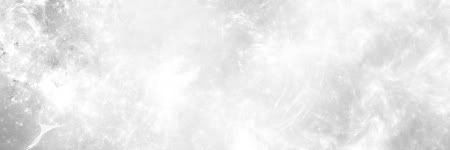
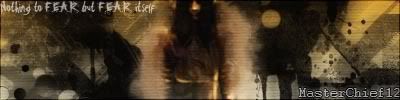
Then, grab a render. I'll be using this http://img100.exs.cx/img100/4778/dbz2110246jy.png P.S I am using CS2 for this but 7+ should be fine. Open up a new document 450x150 with a transparent BG. Press D to reset your colors and go to filter-render-clouds. Then switch you colors(X) so white is your foreground color. Then grap your brush and brush till you get something you like. this is what I got. ![]() Then layer-new adjustment level-curves. Make the input 166 and the out put 80. Then Drop your render right in the middle. ![]() Copy the render layer(Ctrl J) and filter-blur-motionblur. Angle:0 Distance:36 Now, copy that layer. Then merge the 2 motion blur layer's together and place the original render on top. Then merge them so there is on render. ![]() Now, got to layer-new adjustment layer-color balance. Use any color you like. Then, place the render on top. ![]() Next, Open a new layer and filter-render-clouds. Then, filter-noise-add noise. 400 guassian monochromatic Then, filter-blur-motionbur. 45 angle 14 distance Then set that layer to soft light. ![]() Now for the final step. Copy your render layer and filter-blur-guassianblur 3.0 pixels Then set that layer to over lay and youre set. Heres one with some finishing touches. ![]() My first tut so please dont flame. I'd love to see your outcomes. |
|
|
|
| Currently Active Users Viewing This Thread: 1 (0 members and 1 guests) | |
|
|