Go Back   Flash Flash Revolution > Flash Flash Revolution > FFR Profiles
Register FAQ Community Calendar Today's Posts Search


Thread Tools Display Modes
Prev Previous Post   Next Post Next
Old 01-30-2011, 07:07 PM   #1
DotKritic
Forum User
 
DotKritic's Avatar
 
Join Date: Jun 2009
Location: Houston
Age: 21
Posts: 2,974
Default How to add a header/background image - Updated January 30, 2011

This is slightly revised to give those people who were concerned with the original thread an easier view of how to add a header and a background to your profile. If some info in this thread inaccurate, please let me know so I can fix it.
--------------------------------------------------------------------------------------------------------------
Step 1: Look ANYWHERE on the FFR website at the top of the page you will see the FFR logo at the top left and to the top right are the current site stats (number of accounts made, current members using FFR, how many arrows were hit so far (each day), and the current time, as well as your current profile picture and current account stats (FFR Rank, credits, plays (all-time), and total score. Look above your profile picture where it says “[your account name]’s stats.” Click on your account name and it will take you to your profile.


____________________________________________________________________________________________________

Step 2: You made it to you profile. CONGRATS! Now the fun begins. Look one banner below and you will see “Search Profiles, My Settings, Photos, etc.” Look further to the right and you will see “Show Style Editor” in RED. Click on that and see what happens…


____________________________________________________________________________________________________

Step 3: If you did everything right, you should see what’s in the picture below (minus the red arrows). If not, then I guess you’ll have to start over at Step #1 . Assuming you did everything right, click on the “Default/Banner/Background – Style Editor” button at the top right of your profile. Not the page. The profile.

____________________________________________________________________________________________________

Step 4: “Oh crap! So many buttons…” It’s easier than it looks. You can choose between having a solid color as your background or go for your own custom (or “custom”) background and/or header. However, if you want to have a solid color as your background, you can’t have a image as your background – and vice versa. Once you've got all you needed, click on "Update Default/Banner/Background" and *WALLA*, you're done.


____________________________________________________________________________________________________

Step 5: Once you're done, click on "Hide Style Editor" and go play some FFR.
____________________________________________________________________________________________________

Frequently Asked Questions:
Q. What is the size limit for the background image and the header image?
A. The max image size is 960 x 200 px. for the background image, but it does have a size limit of 512kb; it's usually a .jpg file.
The max image size is unlimited for the header image, but it will be resized to fit the header. It doesn’t matter if your image is 1600 x 1200, your image will automatically be resized.

Q. My background won't go through. It keeps saying "Background-Failed to upload" Help!!!
A. There was likely an issue with the profile before then or you should try a different image format.

Q. What if I want to have someone make me a custom background/header image?
A. You can go to the 32-Bit RGB forum. Some members may want credits for doing your dirty work. It can range anywhere between the thousands to the millions.

Q. Since you gave the sizes of the background and header image, what’s the size limit for avatars and forum signatures?
A.
Quote:
Originally Posted by FFR Forum Rules
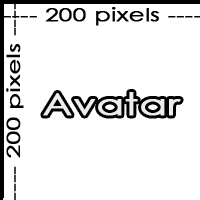
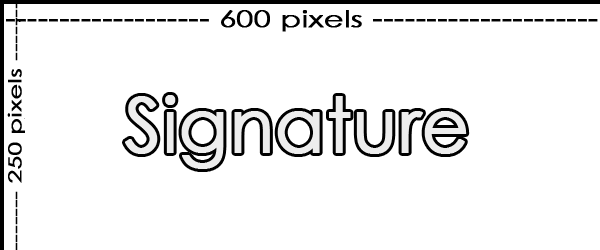
Avatars and Signatures: Please keep your signature to a maximum width of 600 pixels, and a maximum height of 250 pixels (If you want to put multiple pictures in your signature, sum of your pictures shouldn't exceed this size). Avatars must be no more than 200 pixels in height, and no more than 200 pixels in width. Total size of pictures in yout signature must be no more than 1MB.


Please Remember: We feel that quoting inappropriate material is just as bad as if you posted the content yourself, so don't do it! Quoting posts that are bannable will earn the quoter a ban of the same length as the original offense (i.e. quote racism = two weeks, quote porn = whatever ban applies to the porn).
__________________

FFR Member Since December 17th, 2004
Save 50% on Codecademy Plus, Pro, or Pro Student

Last edited by DotKritic; 01-31-2011 at 01:53 PM..
DotKritic is offline   Reply With Quote


Currently Active Users Viewing This Thread: 1 (0 members and 1 guests)
 

Posting Rules
You may not post new threads
You may not post replies
You may not post attachments
You may not edit your posts

BB code is On
Smilies are On
[IMG] code is On
HTML code is Off

Forum Jump


All times are GMT -5. The time now is 05:24 PM.


Powered by vBulletin® Version 3.8.1
Copyright ©2000 - 2026, Jelsoft Enterprises Ltd.
Copyright FlashFlashRevolution