Go Back   Flash Flash Revolution > Life and Arts > Art and Graphics
Register FAQ Community Calendar Today's Posts Search


Thread Tools Display Modes
Prev Previous Post   Next Post Next
Old 10-28-2008, 08:14 AM   #1
rzr
TWG Veteran
 
rzr's Avatar
 
Join Date: Oct 2007
Location: ƲƝƌƐƦ ƮĦƐ ƧƐȺ
Age: 34
Posts: 7,608
Send a message via AIM to rzr Send a message via MSN to rzr Send a message via Yahoo to rzr Send a message via Skype™ to rzr
Default I Started Working With Layers -- Do You Guys Like? Tips?

So, I started working with layers now. I'm really getting into it and they seem to be the best tool I've used so far in terms of quality. Here's a few samples with explanations of how I worked on it. Before the samples, if anyone can find me a GIMP Tutorial I'd love it. I have GIMP 2.4.7 and I think the only tutorial I found is for a higher version, so I'm still just teaching myself everything. Anyway, without further adieu, the samples:


This one, as you can see, is my avatar. I hate it, but I was sick of my old one and didn't have anything else. I put a fractal as the last layer, first. Then laid a border on. Then a black gradient. I made the border and gradient almost transparent so you can see the fractal and then moved the gradient layer down and right so a bit of the fractal shined while still fading into the center. Then I added some gay pattern to the font.


I was playing around with some extensions and found this cool one that looked like burnt paper. It had a white background, so I changed the BG to transparent. Then, I added a lightning layer. Then I filled all the parts I think look like a maze in with this cobalt pattern and changed around the opaqueness of the layers to get what I wanted.


So, pretty basic. I made a red sphere with a drop shadow. Added the whirly blue pattern to the drop shadow layer and dimmed it. Added a lightening pattern to the background and dimmed it. I thought the ball looked cool so I stopped. Then started back up and made this:


Same thing except the layers are more opaque with a fractal cropped into the ball.


I made a logo. Darkened the drop shadow and used the clipboard brush, which is a mirror image of the text, to stamp it once behind the original text. I highlighted the original text and used this cool brush with a firey gradient on the letters. Then, I added the Cool Blue pattern in the back and threw in a semi-transparent fractal.


No idea how I made the background but then I took a rainbow gradient and set it to swirl and made the swirls small and kept doing it until I got when I wanted. Then I made it less opaque and centered it.


SOTA logo, 33.67% opaque lightening background, fractal background2.


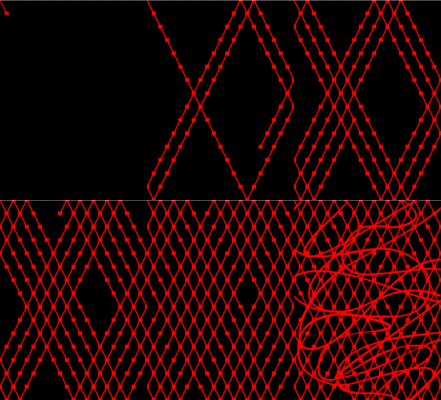
This one took a lot of work. I had a fractal and I filtered out a bunch of **** by filling it in with black then a cool pattern. Took the fractal and duplicated it 3 times facing all 4 in a different direction. Changed the opaqueness so all would be visible. Played with a brush in the background. Then I made a new layer on top as white. Took a wide rainbow gradient over it and dimmed it. Moved the rainbow layer down 4 so the fractal was still visible.
__________________

Quote:
Originally Posted by darkshark View Post
Everyone sucks at this game. The second you think you're good is the second you stop trying to get better.
Quote:
Originally Posted by aperson View Post
i had a mri the other day it was the best song i heard in years

Quote:
Originally Posted by Sprite-
More of a joke than the time I deleted all the credits on the site.
Quote:
Originally Posted by MinaciousGrace View Post
yeah my goldfish think im a riot they do this thing where they turn upside down and float to the top of the tank

i guess their alcohol tolerance isnt as high as mine

Last edited by rzr; 10-28-2008 at 08:57 AM..
rzr is offline   Reply With Quote


Currently Active Users Viewing This Thread: 1 (0 members and 1 guests)
 

Posting Rules
You may not post new threads
You may not post replies
You may not post attachments
You may not edit your posts

BB code is On
Smilies are On
[IMG] code is On
HTML code is Off

Forum Jump


All times are GMT -5. The time now is 03:50 AM.


Powered by vBulletin® Version 3.8.1
Copyright ©2000 - 2026, Jelsoft Enterprises Ltd.
Copyright FlashFlashRevolution