-


-
Re: Zenith's Optional Profile Shop
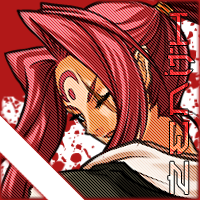
Finished Rushy's profile and fixed Yo Man's profile
Still going on strong with these
Comment
-
Re: Zenith's Optional Profile Shop
awesome! Thanks!


Comment
-
Re: Zenith's Optional Profile Shop
Nah, it's fantastic. Exactly what I was looking for.
Comment
-
Re: Zenith's Optional Profile Shop
Fixed the spelling error.
I took a break from this for some needed sleep and there's a bunch of things in the personal life that needed to be taken care of so I can get back to these ASAP.
I will be including a 200x200 and a 400x400 transparent avatar for people who want their avatar to blend in with the background. It will be in the OP next to the Header link.Last edited by _Zenith_; 01-29-2015, 12:13 PM.
Comment
-
Re: Zenith's Optional Profile Shop
I will add you to the queue to begin the process Thank you for the quote with the information, it really helps to know what exactly people are looking for besides my own flair into a profile.
@PhantomPuppy, the transparent avatar is a completely invisible avatar (in forums it would show nothing) but when you view your profile, all you would see is the profile instead of the avatar on top of the profile.
Better way to explain this is for players who want their avatar to perfectly fit their profile. I can do it another way so that it's the actual 200x200 section of the profile but it'll be slightly darker or brighter than the background itself. See Choof's for an example.
Comment
-
Re: Zenith's Optional Profile Shop
Been pretty lazy today :won't lie: but I need to start clearing the queue
Shouldn't have partied last night lmao
Comment
-
Re: Zenith's Optional Profile Shop
aw, i see u don't wanna make miner bae adam bae max bae bridget bae claudia bae trevor bae adam2 bae mayo bae keith baeComment
-
Re: Zenith's Optional Profile Shop
Did you post in here or PM me? There are a few things I remember seeing but second guessed myself
EDIT: I really didn't have the time to do anything today so I will be up early to start on the queue. CDCan still needs to PM me about his profile so the next one I am doing is Deadlyx39's profile. Phantom and Poison needs fixes so that is also on my high priority list. Thank you for waiting ever so patiently!Last edited by _Zenith_; 01-29-2015, 09:12 PM.
Comment
-
Re: Zenith's Optional Profile Shop
For PhantomPuppy and Starlight562's profiles, it looks like the problem was using a template based on 200 px-tall avatars. If you don't want to fit your profile to the size of an avatar someone already has, what you can do is save their avatar and put transparency around it to fit your template. If the user doesn't want to change their avatar, you can take a screenshot of their profile to work over. For instance, 175 px is my preferred max avatar width (any wider pushes forum post user information farther out), so a profile from a template made for larger avatars wouldn't work for me.
Adding width to an avatar pushes the game card text away, and adding height pushes the profile down. That is, unless the avatar is shorter than 162 px. The minimum height of the header area is 217 px, and the minimum buffer is 55 px, so profiles with avatars shorter than 162 px will all have the same header height.
It may also be good for clients to mention what web browser they use, because you want to make what looks aligned for your clients. The alignment is only slightly different around the top between browsers, shifting a pixel here or there. But the difference is greater as you get farther down. Like, Firefox adds an extra pixel on the height of each cell whose size is determined automatically by its contents compared to Chrome.
As for your graphic work, the thing that stood out to me first as needing work was the text. Yes, it's possible to overuse layer styles and blending effects, but something is needed to help the text feel like it fits with the background. Looking at a lot of SM graphics will probably help with getting a sense of what looks good and what is too much.
Hm, I'm not exactly sure what you mean here. Is the avatar not having the same brightness as the background an unavoidable consequence of your way of using the actual 200x200 section of the profile? That's what your wording sounds like to me, but it shouldn't be unavoidable. Or is it that the brightness shift is something you do because you don't think one would want their avatar to be exactly the same as the profile behind it? I would want that, but I often put transparency around the character in the avatar.
I imagine that using a fully-transparent avatar would work like this:
1. The user uploads the transparent avatar.
2. The profile artist copies the section of the profile under the transparent avatar and sends that to the user (though the user could do this if they have a graphics program).
3. The user can then upload the new avatar, and it will align with the profile and show up on the forums.
Though if your template is made for 200x200 px avatars, you know where the border of the avatar should be, so a 200x200 px transparent avatar would be redundant.
If I were to change my avatar size, I would upload a test image of the size I will change to, take a screenshot of my profile, and use that as reference for making a new profile. (A test image would only be necessary if I plan to mesh the avatar and background, otherwise I'd just upload the avatar I want to use.)
Comment




Comment