-
-
Re: When I Art...
haha thanks. I feel like for that one I am in 'Bugs Life' or something. I guess that was the inspiration?
(Whats this? I have inspiration for shots now?)

Comment
-
Re: When I Art...
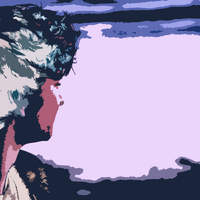
I'm on Vacation right now in Pinecrest, California. Snapped a cool pick of my two friends Hannah and Connor when they were not looking. I liked how this one turned out.
That Moment

Comment
-
Re: When I Art...
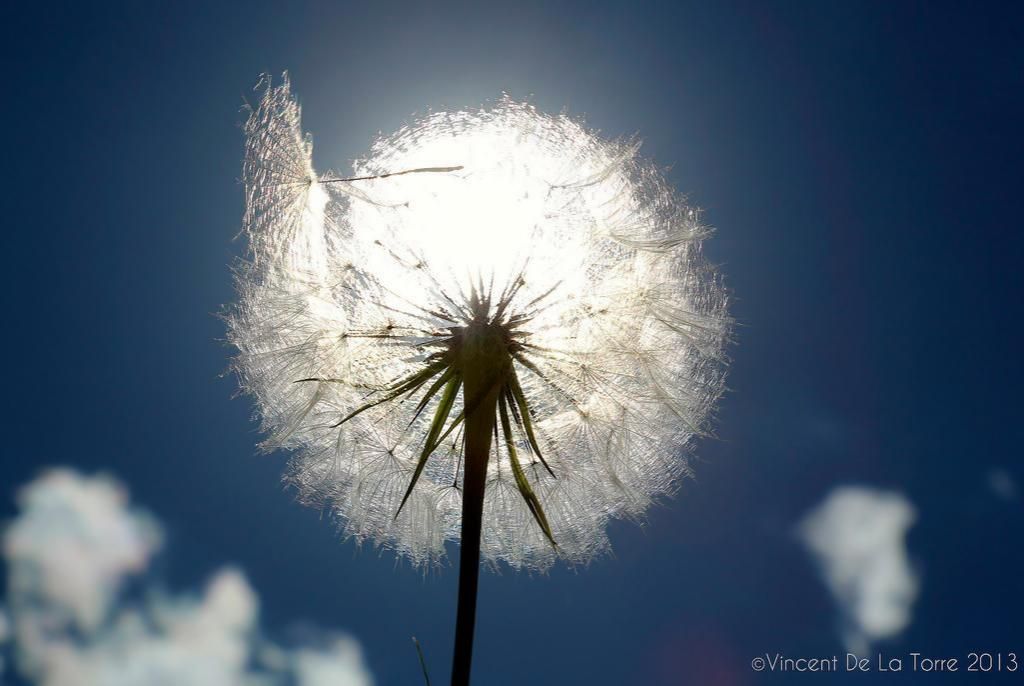
In that one of the dandelion, you have the perfect perspective. You make that dandelion look huge. Also, I never realized how much dead dandelion fluff looks like spiders webs.Comment
-
Re: When I Art...
dam ziz that ones niceComment
-
Re: When I Art...
Got a few more of my favorties:


(Higher Resolution)
Comment
-
Re: When I Art...
damn \iz you're pretty good at getting the camera out at the right time.
my fav
Comment
-
Re: When I Art...
The only thing I want to point out : pay attention to the overall sharpness you want to give to your subjects in post-production.
For example :
The fine details of the dandelion seeds have a thick outline. You can adjust this with Adobe Camera Raw or Lightroom (clarity slider) or in Photoshop (contrast slider in Shadow/Highlight I believe ?). A dandelion has a soft texture so, imo, I would try to aim for that.
It really depends of the type of subject. A rocky-texture can be visually more interesting with a higher clarity such as this one :
(what lens did you use btw ?)
(oh and watch out about your copyright/name placement )
)
Other than that, you really have a good diversity in your pictures. Colours always strike the eye too.Comment
-
Re: When I Art...
Actually, I did look a bit more into your picture (the dandelion one) and it wasn't really the clarity/overall sharpness that caused hard edges but artifacts in the sky. (if you compressed the picture into a lower resolution format, that may have caused this)
To heal your picture, you could do this :

Make a radial filter and reduce the amount of noise (or make a layer mask if you're working on Photoshop). Reducing the clarity and/or sharpness can help too.
Here's the before and after comparison :

And the final result :
I don't like to work with works of others but I figure it could help.
Comment
-
Re: When I Art...
^ Holy shit dude thanks a bunch. And yeah, it is actually a lower rez file that I did just for FFR, I can link you to a higher one if interested, but the same issue occurs. It will just make post easier.
I can't thank you enough for your advice. I'll take this to heart.
Comment
-
Re: When I Art...
You're welcome.
Sure, you can link me the full resolution shot. (could make a damn good background if you ask me)
Another question : do you shot in RAW or in JPEG ?Comment
-
Re: When I Art...
Here is the full rez shot:
And lol you are the 4th person to say it would make a great background :3 I'm so honored!!
EDIT: Now that I look at it, yeah you are right haha. I see what you mean now.
Comment
-
Re: When I Art...
Same modifications applied :
Note that I removed the small piece of grass at the bottom. ^^Last edited by noname219; 07-24-2013, 09:37 PM.Comment
-
Re: When I Art...
So sexy One day I'll learn haha. Thanks for your help man
Comment














Comment