Starting in 3D

Collapse
X
 
  • Time
  • Show
Clear All
new posts
  • Renevatia
    FFR Veteran
    • Feb 2006
    • 555

    #1

    Starting in 3D

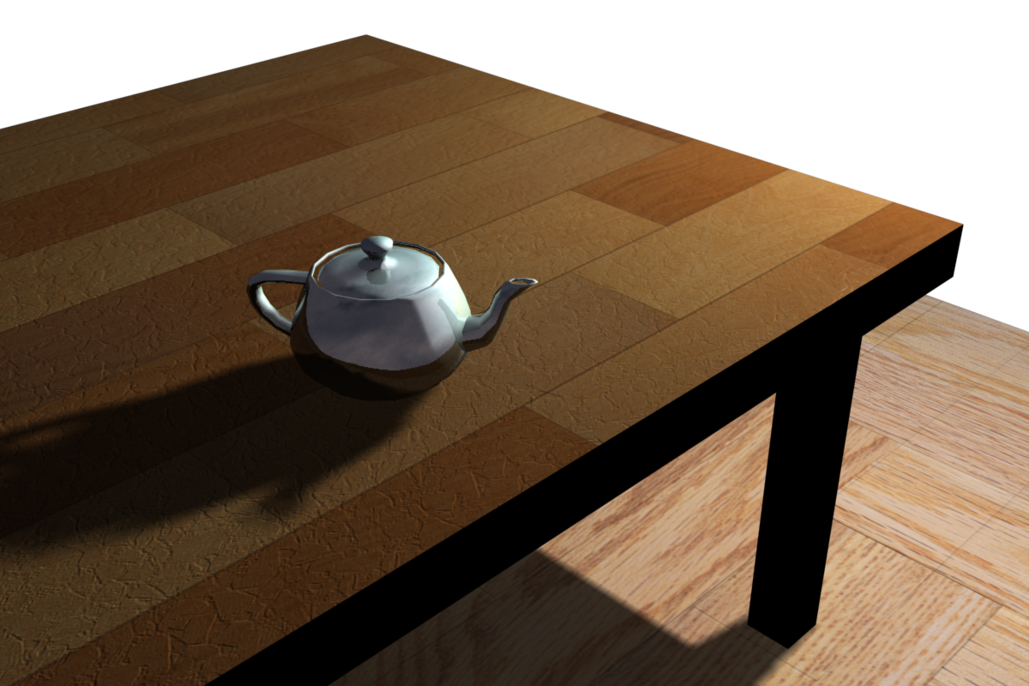
    So I started 3D (finally)
    Will be update this thread of a bunch of spam 3d stuff i guess..hopefully get the hang of the controls. The controls makes photoshop look like its made for 3yr olds. ;/
    I have to say this is probably one of the proudest moment I've spent on a computer in a very long time lol.


    as you can see its a teapot on a table on a floor floating in the sky.
    Reminder for self to make new sig.
  • rushyrulz
    Digital Dancing!
    FFR Simfile Author
    FFR Music Producer
    • Feb 2006
    • 12985

    #2
    Re: Starting in 3D

    nice first crack at 3D
    If photoshop's controls are for 3 year olds, I'm not even a twinkle in someone's eye.


    Comment

    • Renevatia
      FFR Veteran
      • Feb 2006
      • 555

      #3
      Re: Starting in 3D


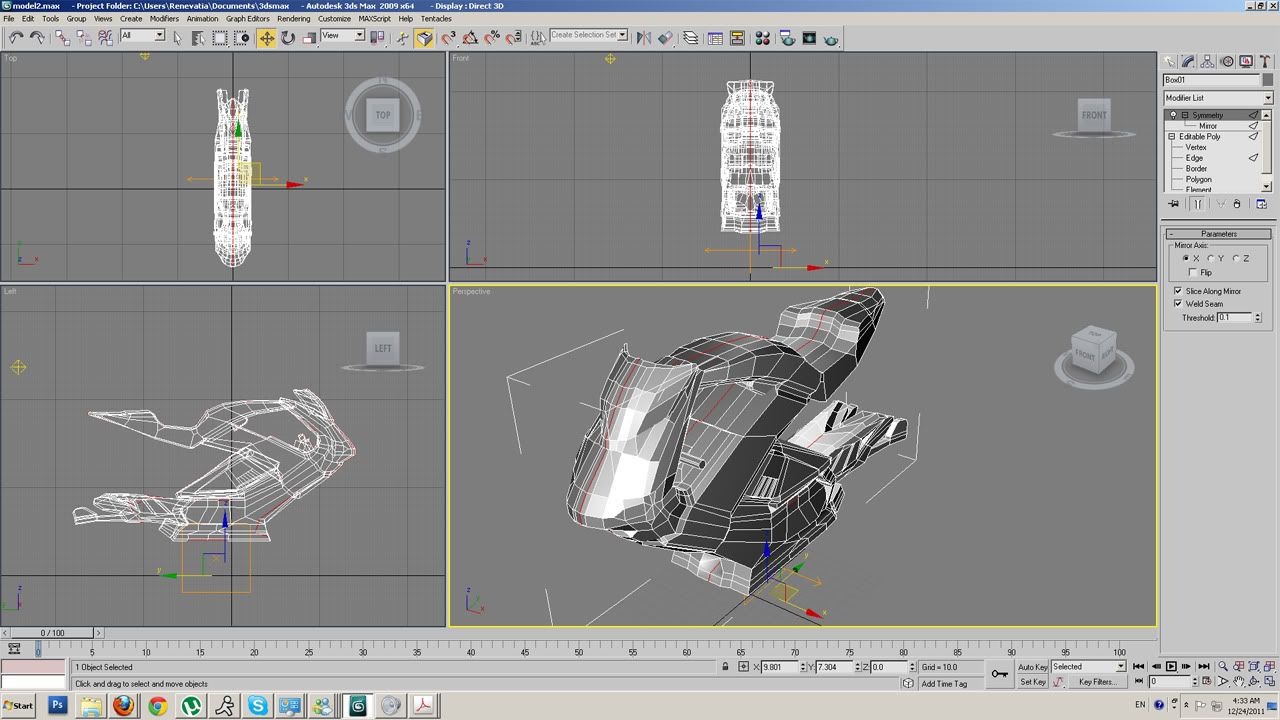
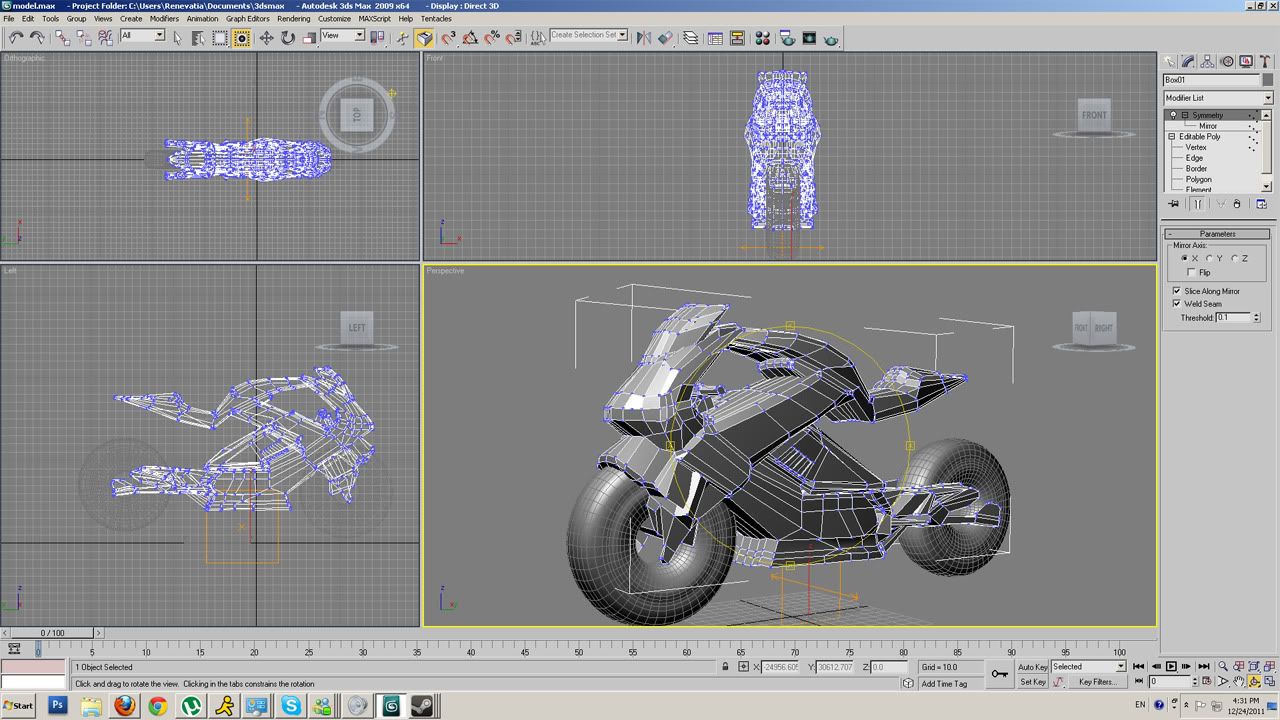
      after http://www.tuvie.com/futuristic-vect...ic-super-bike/

      The model is full of glitches and stuff only know how to use extrude chamfer and simple move tool atm so sorry lol.
      Took forever.. and then I discovered that you can actually import images into 3ds max as reference in 3d fffffffffff
      Reminder for self to make new sig.

      Comment

      • who_cares973
        FFR Player
        • Aug 2006
        • 15407

        #4
        Re: Starting in 3D

        reminds me of autoCAD :'3

        Comment

        • darkshark
          Nothing.
          • Nov 2004
          • 4189

          #5
          Re: Starting in 3D

          That's a really good start on that motorcycle. Super sloppy, but a good start. Box extrude modeling is actually my favorite way to model things (aside from ZBrush) however I'm not so sure I would have chosen to model an entire bike in one chunk (unless it's going to be used as a game asset, then you're doing it right).

          The bike itself is made up of a bunch of parts, so it's usually best to model it the same way...in parts. You should almost always drop a "Meshsmooth" or a "Turbosmooth" modifier on top of your mesh (turbosmooth has better algorithms for subdivision, I usually use that). You can then see where your model is going to need refinement, and just like your symmetry modifier, you can tick the little lightbulb icon to turn it on and off, so it's a good workflow to keep swapping back and forth between the smoothed model and the base model so you know you're doing things right.

          Comment

          • Renevatia
            FFR Veteran
            • Feb 2006
            • 555

            #6
            Re: Starting in 3D

            Originally posted by darkshark
            That's a really good start on that motorcycle. Super sloppy, but a good start. Box extrude modeling is actually my favorite way to model things (aside from ZBrush) however I'm not so sure I would have chosen to model an entire bike in one chunk (unless it's going to be used as a game asset, then you're doing it right).

            The bike itself is made up of a bunch of parts, so it's usually best to model it the same way...in parts. You should almost always drop a "Meshsmooth" or a "Turbosmooth" modifier on top of your mesh (turbosmooth has better algorithms for subdivision, I usually use that). You can then see where your model is going to need refinement, and just like your symmetry modifier, you can tick the little lightbulb icon to turn it on and off, so it's a good workflow to keep swapping back and forth between the smoothed model and the base model so you know you're doing things right.
            The problem I have with turbosmooth even meshsmooth is it hella smooths everything..it didnt make sense to me. I was kinda looking to get use to the controls a bit it helped a little, back to tutorials.
            Reminder for self to make new sig.

            Comment

            • darkshark
              Nothing.
              • Nov 2004
              • 4189

              #7
              Re: Starting in 3D

              It smooths to the mid point between two edges. I'll give an example gimme a sec.

              Comment

              • darkshark
                Nothing.
                • Nov 2004
                • 4189

                #8
                Re: Starting in 3D

                Standard box no smooth.


                Standard box with smooth, 3 iterations.


                Box with extra edges added near corners.


                Box with extra edges added near corners, meshsmooth 3 iterations.


                Only the top right edge with extra edges added near the corner


                with smooth applied


                Notice how that corner gets sharper and sharper the closer the edges are to it. Like I said meshsmooth bends faces at their midpoint, so you just have to keep in mind where the midpoint is on all of your faces.

                Comment

                • Renevatia
                  FFR Veteran
                  • Feb 2006
                  • 555

                  #9
                  Re: Starting in 3D


                  tried fixing it but not much difference, gotta start cleaner next time..lol


                  EDIT
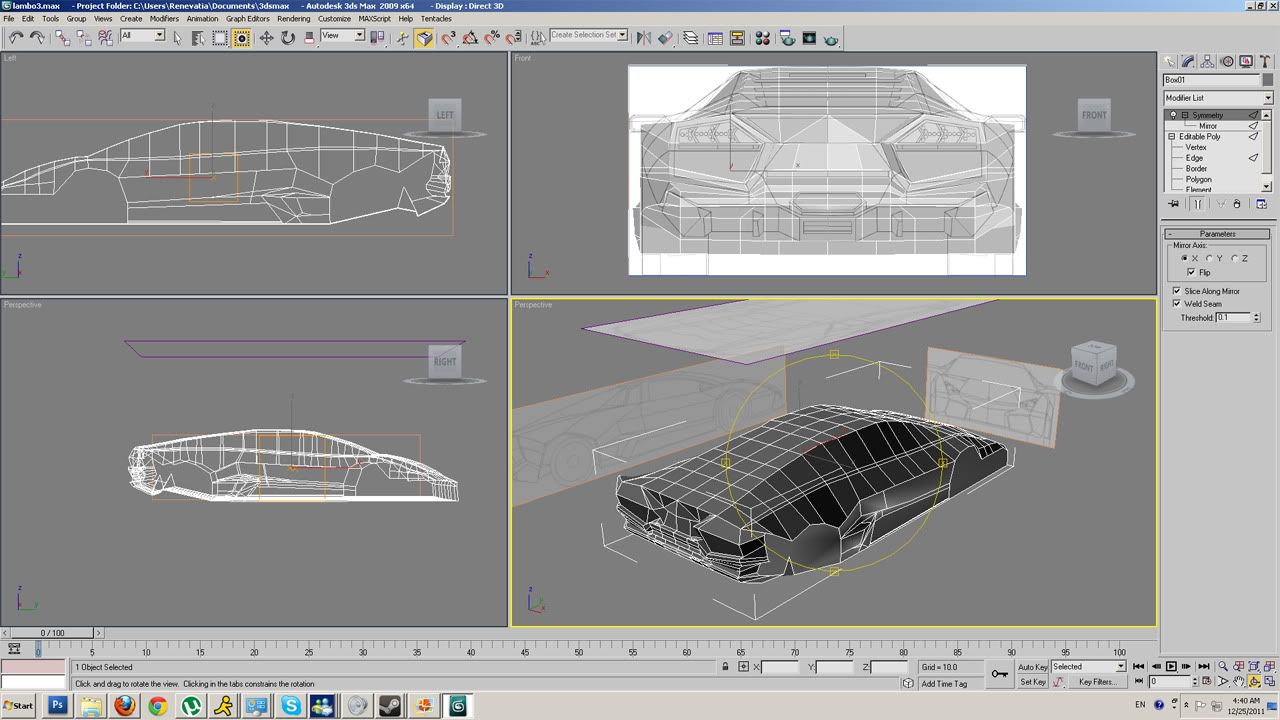
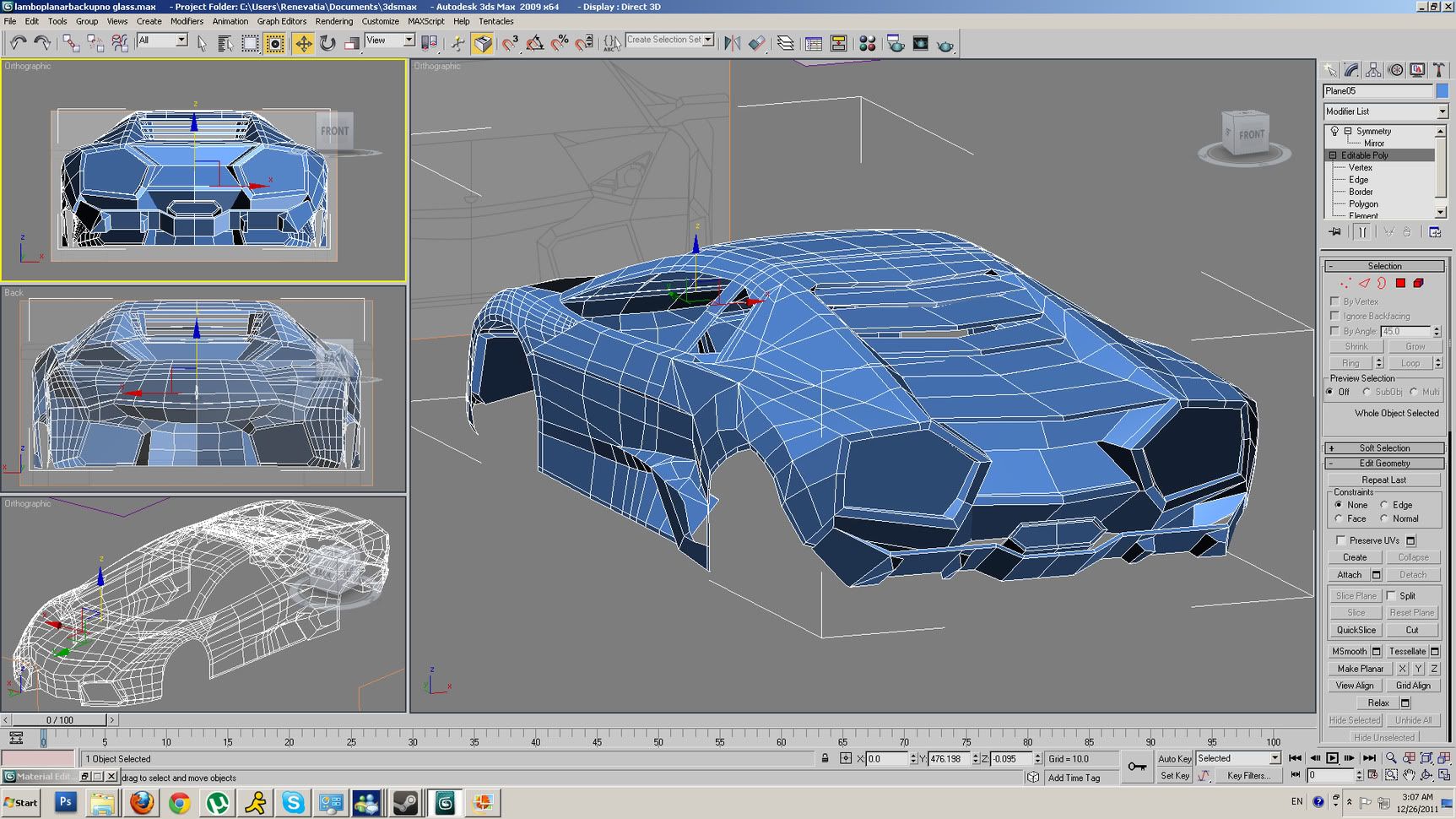
                  WIP lambo reventon took like forever before I figured out a reasonable way to do it...
                  Last edited by Renevatia; 12-25-2011, 05:42 AM.
                  Reminder for self to make new sig.

                  Comment

                  • darkshark
                    Nothing.
                    • Nov 2004
                    • 4189

                    #10
                    Re: Starting in 3D

                    erm...box modeling a car isn't usually a good idea. Try planar modeling instead. It will make your life easier.

                    Comment

                    • Renevatia
                      FFR Veteran
                      • Feb 2006
                      • 555

                      #11
                      Re: Starting in 3D

                      Originally posted by darkshark
                      erm...box modeling a car isn't usually a good idea. Try planar modeling instead. It will make your life easier.
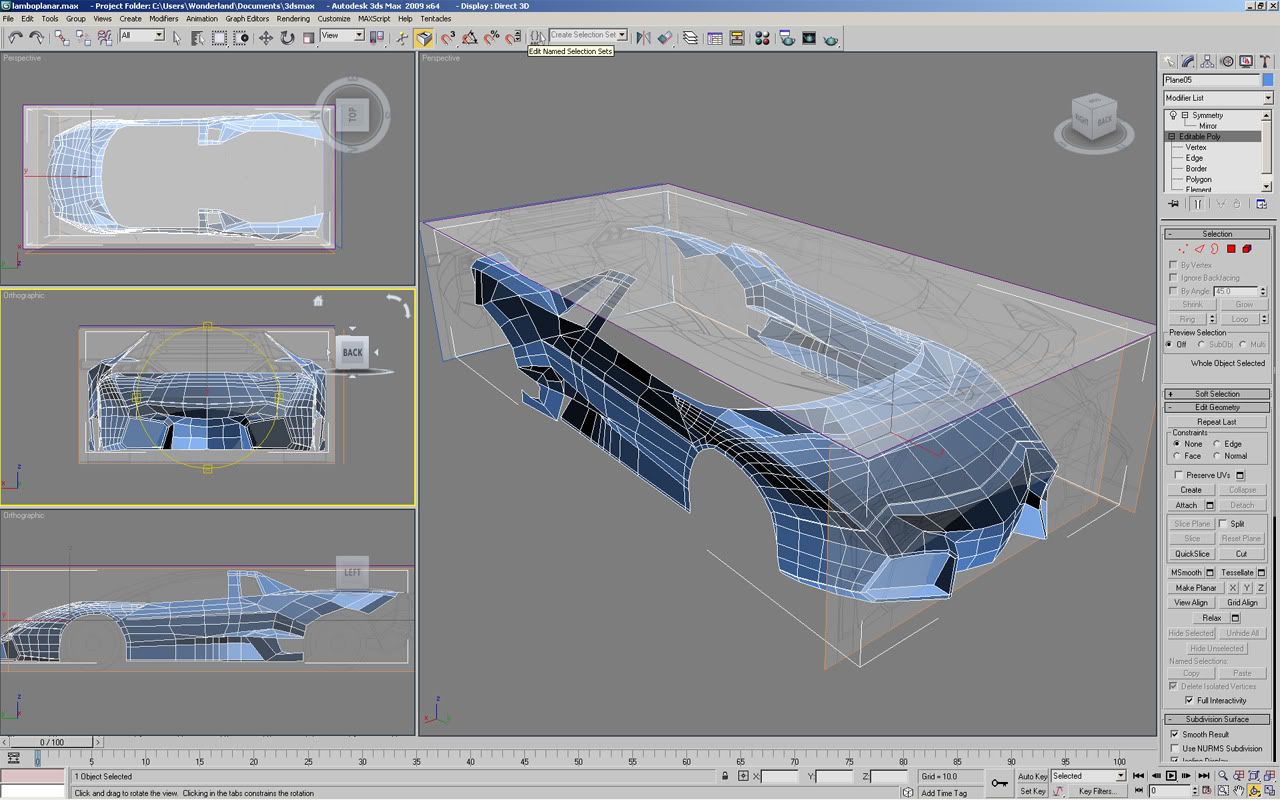
                      with planar, how long does a car model usually take to make..?

                      edit

                      was trying it out, it so time consuming that I almost died. Probably done for the day.


                      I lied, kinda went on a bit more.

                      I can feel my shoulders dying.
                      Last edited by Renevatia; 12-26-2011, 04:10 AM.
                      Reminder for self to make new sig.

                      Comment

                      • darkshark
                        Nothing.
                        • Nov 2004
                        • 4189

                        #12
                        Re: Starting in 3D

                        You have SO MANY triangles in that mesh, it's going to cause a ton of problems with smoothing. Try your absolute best to avoid creating faces with 3 sides. ALL of them should have 4 or more if you can. Most of the model looks like it's quads, but that back quarterpanel is hideous and will need quite a few cuts to turn all of those tri's into quads.

                        Comment

                        • Renevatia
                          FFR Veteran
                          • Feb 2006
                          • 555

                          #13
                          Re: Starting in 3D

                          Alright got a bit of that done I will probably try it either tomorrow or day after, need a bit of break.
                          Need to paint something and find someone to play ping pong with. A bit deprived of just aobut everything else atm lol.
                          Reminder for self to make new sig.

                          Comment

                          Working...