Mozilla Labs Personas. Easily Customize Firefox!

Collapse
X
 
  • Time
  • Show
Clear All
new posts
  • #91
    FFR Player
    NFD
    • Nov 2007
    • 4715

    Re: Mozilla Labs Personas. Easily Customize Firefox!

    Oh that's lame.

    Comment

    • #92
      Provy
      5.points
      • Jan 2008
      • 671

      Re: Mozilla Labs Personas. Easily Customize Firefox!

      Originally posted by NFD
      Still hasn't shown up....how long does it usually take?
      Do you have a theme already set? Make sure you use the default FF theme.

      Same thing happened to me.

      Comment

      • #93
        FFR Player
        NFD
        • Nov 2007
        • 4715

        Re: Mozilla Labs Personas. Easily Customize Firefox!

        No, I mean it hasn't shown up to be used yet. Must still be getting processed.

        Comment

        • #94
          FFR Player
          chidori!
          • Jun 2007
          • 1603

          Re: Mozilla Labs Personas. Easily Customize Firefox!

          you can just upload it to photobucket and post it here
          EDIT:
          Yuyuko:

          Last edited by chidori!; 04-12-2009, 10:56 PM.

          Comment

          • #95
            No fucks
            Oni-Paranoia
            • Dec 2006
            • 2440

            Re: Mozilla Labs Personas. Easily Customize Firefox!

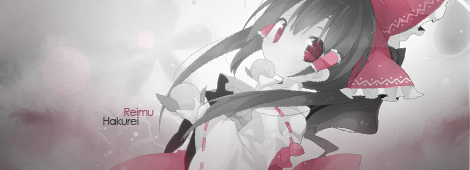
            OMG SEXY, gonna do footer tomorow

            Comment

            • #96
              Rhythm game specialist.
              FFR Simfile Author
              FFR Music Producer
              TC_Halogen
              • Feb 2008
              • 19510

              Re: Mozilla Labs Personas. Easily Customize Firefox!

              Gonna move him a little later. =p

              Comment

              • #97
                No fucks
                Oni-Paranoia
                • Dec 2006
                • 2440

                Re: Mozilla Labs Personas. Easily Customize Firefox!

                @ Halogen

                Seeing as you have some toolbar under your navigation bar, does it make the top show more of the header?? do bookmarks go next to that toolbar are under?? lol

                Curious if im to add more of !'s doubles steps to the left side.....

                Comment

                • #98
                  FFR Player
                  NFD
                  • Nov 2007
                  • 4715

                  Re: Mozilla Labs Personas. Easily Customize Firefox!

                  Wait, so how are you guys doing it? I downloaded the program, how do I change my theme to the one I made? I still have the images.

                  Comment

                  • #99
                    FFR Player
                    Temote
                    • Jun 2007
                    • 748

                    Re: Mozilla Labs Personas. Easily Customize Firefox!

                    NFD: There's a little thing in the corner you click to open up the options for the skins.

                    When it opens up, highlight the option that says 'Custom' and select edit.

                    Then on the Edit page, browse through your pictures and find the header and footer file that you want to use. You can also switch around the title of the skin and toy with font colors, which I had to do with this one because black font doesn't work on black background.


                    Complete with pictures. =)

                    Comment

                    • #100
                      FFR Player
                      NFD
                      • Nov 2007
                      • 4715

                      Re: Mozilla Labs Personas. Easily Customize Firefox!

                      Totally doesn't say Gradius.

                      Default
                      Most Popular
                      New
                      Recently Selected
                      By Category
                      Default
                      Preferences
                      View Gallery

                      Comment

                      • #101
                        FFR Veteran
                        dean_machine
                        • Oct 2006
                        • 1267

                        Re: Mozilla Labs Personas. Easily Customize Firefox!

                        Originally posted by Temote
                        NFD: There's a little thing in the corner you click to open up the options for the skins.

                        When it opens up, highlight the option that says 'Custom' and select edit.

                        Then on the Edit page, browse through your pictures and find the header and footer file that you want to use. You can also switch around the title of the skin and toy with font colors, which I had to do with this one because black font doesn't work on black background.


                        Complete with pictures. =)
                        You forgot the part that you first have to enable custom under prefereces.

                        Comment

                        • #102
                          FFR Player
                          NFD
                          • Nov 2007
                          • 4715

                          Re: Mozilla Labs Personas. Easily Customize Firefox!

                          Applied, nothing.

                          Comment

                          • #103
                            FFR Veteran
                            dean_machine
                            • Oct 2006
                            • 1267

                            Re: Mozilla Labs Personas. Easily Customize Firefox!

                            Originally posted by NFD
                            Applied, nothing.
                            The spot where it says gradius in temote's picture should say custom now.

                            Anyway, you should look at the link in the thread op for creating your own custom persona, that will also explain how to do it.

                            edit: Also what Temote said below and what I said in the thread op, make sure you are using the default theme for firefox and the default theme in your operating system which can be changed by right clicking the desktop.
                            Last edited by dean_machine; 04-13-2009, 02:22 AM.

                            Comment

                            • #104
                              FFR Player
                              NFD
                              • Nov 2007
                              • 4715

                              Re: Mozilla Labs Personas. Easily Customize Firefox!

                              I changed the name, and clicked apply.

                              Comment

                              • #105
                                FFR Player
                                Temote
                                • Jun 2007
                                • 748

                                Re: Mozilla Labs Personas. Easily Customize Firefox!

                                Also make sure that if you had a different theme set beforehand, you switch it back to Default. That was the step I kept missing out on when I installed it. XD


                                Comment

                                Working...