-

-
Re: Post your Photoshop(Only) work here!
I can't tell you exactly what I did, because truth be told I don't remember exactly. X_x
Mostly just smudging and scatter smudging Ryu, along with the faint purple and green around him which is some C4Ds.
And Fluorescent, a focal point is basically the area of the most emphasis in a sig. Like Ryu and the small area around Ryu in the sig I've been talking about in this post.Comment
-
Re: Post your Photoshop(Only) work here!
Oh. Well I am gonna make 2 things today. I have to make my friend a siggy. And I am going to make myself a bitchin' userbar.Comment
-
Re: Post your Photoshop(Only) work here!
New sig's
this ones alright.

This one's my fave

Also check my new sig V-look down.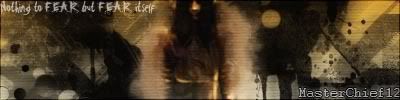
Want a sig/avi? PM me and I'll get right on it!Comment
-
Re: Post your Photoshop(Only) work here!

sexy

hawt

kool.

two second thing I made for my myspace.
meh. I'll post real work later.
Comment
-
Re: Post your Photoshop(Only) work here!
Masterchief how do you get all those fancy lines and circles as in:
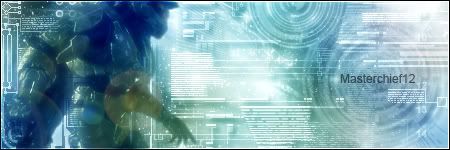
Tonight.
I make my friend a castlevania siggy and myself something. Brb.Comment
-
Re: Post your Photoshop(Only) work here!
Just some tech brushes and drop shadows.
Edit:Made for shadow41
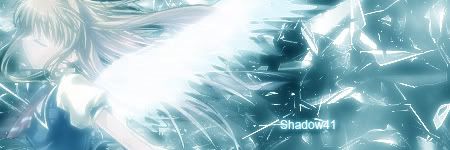 Last edited by masterchief12; 09-19-2006, 07:47 PM.
Want a sig/avi? PM me and I'll get right on it!Comment
-
Re: Post your Photoshop(Only) work here!
K. I actually though you took the time to do all of that prefectly using like size 1 text and the line tool. Here's that sig I made.

Rip me apart sol 8D
Edit:
I will make my stuff tommorow. I'm ass tired.Comment
-
Re: Post your Photoshop(Only) work here!
Hmm, same reasons at last time (except focal point because it sort of has that).
With the addition of:
Render placement: it gets cut-off, feels unnatural, find a better spot.
Blending: The render looks like a simple copy-paste, make it seemingly blend into the background or find some way to make it look like it's a part of it.
I got a new piece here:
Comment
-
Re: Post your Photoshop(Only) work here!
Ok. So, I must work on:
1.) Focal point - The place were I want to make my viewers look. It seems that I have it everywhere? I need some tips to make it so that I can make them see what I see.
2.) Renders - This one was just a copy and paste with an outer glow so that the pixely outside would be gone. That was the only one I could find of Alucard at the time anyways =/
3.) I actually intended on using some of the stuff from the coverart on the game case but I couldn't find a picture of a decent quality to use.
Oh yea, for no reason at all, I saw 180digi made a nasty sig so I was bored and made one.

BLALALL!Comment
-
Re: Post your Photoshop(Only) work here!
I've read what you need'd to improve on and since I know your better then me, I tried this:
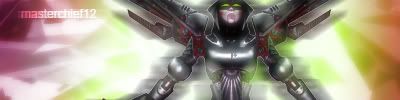
Want a sig/avi? PM me and I'll get right on it!Comment
-
Re: Post your Photoshop(Only) work here!
moar heir: http://www.deviantart.com/deviation/40095297/
Brb 4 crit.Comment




Comment