

Re: Post your Photoshop(Only) work here!
-

-
Re: Post your Photoshop(Only) work here!
Last edited by flatlandzero; 07-27-2006, 01:25 PM.
Status: ONLINE
Phase: ONLINE
Comment
-
Re: Post your Photoshop(Only) work here!
Nice flat. Anyone check out my link yet? I wish for feedback.Comment
-
Re: Post your Photoshop(Only) work here!
Well, I'm not much of the art critic, but here's a few things I can say... It looks like you used the same few symbol whatevers a lot, and then, I don't know, tweaked them... You can see that symbol with the V at the time seven times or something... and another symbol thing, maybe, five times... I'm not saying there's anything wrong with that, I guess I was just saying it could use a little more variety. But still, I really like this image.... and I've wanted to know how to do things like this for a while... Erf, maybe it's just that I don't feel like figuring out.Originally posted by FluorescentArmy
And now, if anyone wants to comment on a few wallpapers and other stuff I made in photoshop...
[Edit: The other links didn't work, so it turns out I can't link directly to an image on DevART... Oh well. Links tho those deviation pages are now here instead. Many thanks to Disarray for noting the links didn't work...]
Last edited by Silvuh; 07-30-2006, 09:48 AM.
Comment
-
Re: Post your Photoshop(Only) work here!
Silvuh, none of your links are working.Comment
-
Re: Post your Photoshop(Only) work here!

Comment
-
Re: Post your Photoshop(Only) work here!
Y halo thar.
Random Signatures I've used over the years:
--> http://img.photobucket.com/albums/v2...ntalarmsig.gif
--> http://img.photobucket.com/albums/v2...OKsigagain.gif
--> http://img.photobucket.com/albums/v2...teNoiseSIG.gif
--> http://img.photobucket.com/albums/v2.../Katadasig.gif (Old...OLD piece)
----
Other things:
--> http://img.photobucket.com/albums/v2.../azureglow.gif
--> http://img.photobucket.com/albums/v2...Helicopter.jpg
Comment
-
Re: Post your Photoshop(Only) work here!
does this count as photoshop?

Comment
-
Re: Post your Photoshop(Only) work here!
...
Made this one for a friend.
I thought it was pretty cool seeing as to my photoshop newbieness.Status: Innactive Onehander
Best FC Before Avmiss Fix: . Be Princess . Hellbeat . End NightComment
-
Re: Post your Photoshop(Only) work here!
Comment
-
Re: Post your Photoshop(Only) work here!
I think sylverine likes the color blue.
Very nice Wind0ws.
Not bad CJ. The angel could be a tad brighter thoughComment
-
Re: Post your Photoshop(Only) work here!
Thanks. Hope to get better.
ps. how do you like pixelate pics. I can't really find an expample except for the BG of a StepMania song in the VGMP. It was the chronoTrigger boss fight one.Status: Innactive Onehander
Best FC Before Avmiss Fix: . Be Princess . Hellbeat . End NightComment
-
Re: Post your Photoshop(Only) work here!
Umm I dont know?

If you post the bg I might be able to tell. I don't like playing SMComment
-
Re: Post your Photoshop(Only) work here!
Yes I love the colour Blue, haha. That easy to tell, huh?
Pixelation. Hm. let me see if I can remember off the top of my head. I don't have PS over here so...
One option is to use one of the filters. It should be under 'pixellate' - I use to 'patchwork' or 'grid' options. After that you'll get another window in which you can configure how the filter works. It's just a matter of configuring the relief (depth) and the square size to the way you want it.
Hopefully this is the effect you're looking for.
FA: Your stuff is great - I'm liking the way the colours blend from one to the other - the only problelm are the scan-lines. Try reducing the opacity a little to make them more subtle so they don't obstruct the colours so muchComment
-
Re: Post your Photoshop(Only) work here!
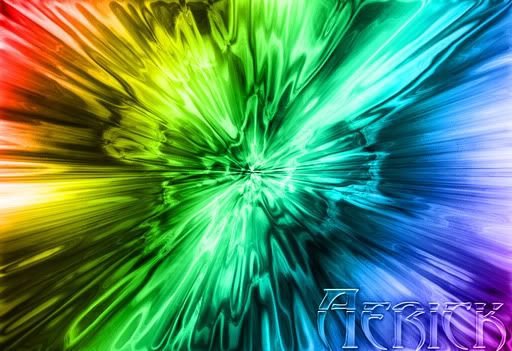
I did that one last night at like 4AM. I had no idea wtf I was doing.
The easy as hell steps for that one.
1) Create a black background
2) Use downloaded brushes to make a compilation
3) New Layer
4) Full Screen Rainbow Gradient
5) Overlay
6) New Layer
7) TextComment








Comment