Post your Photoshop(Only) work here!

Collapse
X
 
  • Time
  • Show
Clear All
new posts
  • Mychilli
    FFR Player
    • Apr 2004
    • 555

    #31
    i also did a few Photoshop imageready .gifs, here some


    took the squid sprite form Metal Slug and animated it..


    old, old avatar i had

    couple of other random stuff...


    XD

    Comment

    • FluorescentArmy
      Forum User
      • Nov 2005
      • 1754

      #32
      How you make them ".gif" thingys? I looked for it but I can't find it. I can make them on image forge but the animations on that are really choppy and have to be hand drawn. They're horrible. I am going to go upstairs soon and play with photoshop some.

      Comment

      • gardyloo
        FFR Player
        • Feb 2005
        • 580

        #33
        Those were made with sprites, so you dont have to draw them out by hand frame by frame. Both imageready and Gimp will make gif animations.

        Comment

        • FluorescentArmy
          Forum User
          • Nov 2005
          • 1754

          #34
          Re: Post your Photoshop(Only) work here!

          Oh, I didnt know that.

          Comment

          • FluorescentArmy
            Forum User
            • Nov 2005
            • 1754

            #35
            Re: Post your Photoshop(Only) work here!

            Dead Thread +1.

            Comment

            • FFR4EVA_00
              FFR Player
              • Aug 2005
              • 1770

              #36
              Re: Post your Photoshop(Only) work here!

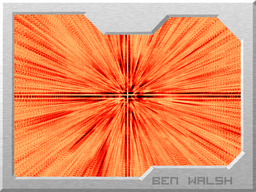
              I'm going to bump this thread with something more useful:

              I don't know if this is good or not but I think it looks cool.

              I only used gradients for this one.
              ~*~Lurkadurk - 1134-7796-6967~*~

              Comment

              • hi19hi19
                lol happy
                FFR Simfile Author
                • Oct 2005
                • 12194

                #37
                Re: Post your Photoshop(Only) work here!

                Those are both great...
                I'd post something, but since I don't have photoshop it'd probably be some crap I did in paint...

                I should stick to useless comments.


                Comment

                • Linkisdoomed
                  FFR Player
                  • May 2004
                  • 594

                  #38
                  Re: Post your Photoshop(Only) work here!

                  I think that it would be a good one for lovely lovely lovely or libertine.
                  -Link

                  R^3 Skin God
                  R^3 Engine Skin Curator

                  Comment

                  • FluorescentArmy
                    Forum User
                    • Nov 2005
                    • 1754

                    #39
                    Re: Post your Photoshop(Only) work here!

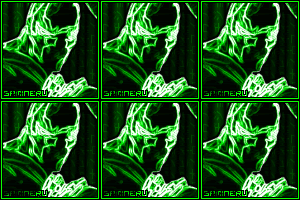
                    How do you make those ones like FFR4EVER_00 did. His first one to be exact. I like those.

                    Comment

                    • M2B
                      Banned
                      • Apr 2006
                      • 36

                      #40
                      Re: Post your Photoshop(Only) work here!

                      First one looks like a brush compillation of brushes (If I'm wrong then tell me the steps, considering this is Photoshop Only).

                      Second is the gradient tool set to a special style, I'm guessing difference but that's off the top of my head.

                      Comment

                      • FFR4EVA_00
                        FFR Player
                        • Aug 2005
                        • 1770

                        #41
                        Re: Post your Photoshop(Only) work here!

                        Originally posted by M2B
                        First one looks like a brush compillation of brushes (If I'm wrong then tell me the steps, considering this is Photoshop Only).

                        Second is the gradient tool set to a special style, I'm guessing difference but that's off the top of my head.
                        1. Correct. That in specific is what happened after I inverted the whole picture (which made it look cooler) and added a color balance layer.
                        2. Also correct. +a bunch of layer duplicating and merging with different filters.
                        Last edited by FFR4EVA_00; 05-28-2006, 06:13 AM.
                        ~*~Lurkadurk - 1134-7796-6967~*~

                        Comment

                        • Samineru
                          FFR Player
                          • Apr 2006
                          • 122

                          #42
                          Re: Post your Photoshop(Only) work here!

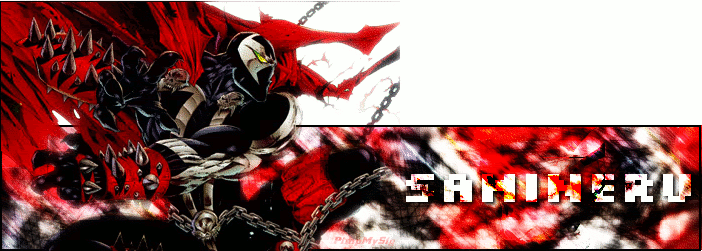
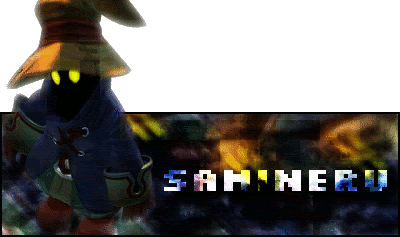
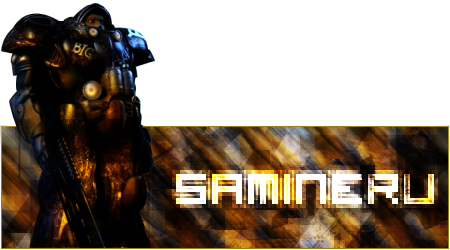
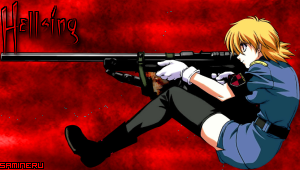
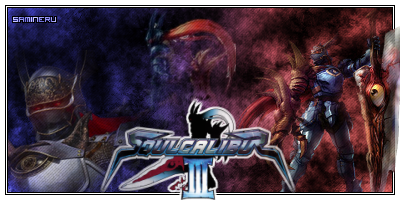
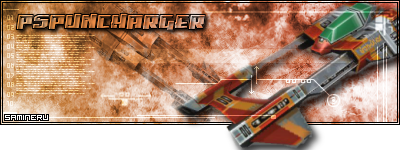
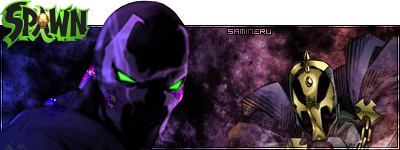
                          Time to post all my GIMP work ever!(In chronological order)


                          Last edited by Samineru; 06-6-2006, 01:08 PM.

                          Comment

                          • esupin
                            FFR Player
                            • Nov 2003
                            • 1756

                            #43
                            Re: Post your Photoshop(Only) work here!

                            It says photoshop only, but your stuff is pretty amazing.

                            http://www.youtube.com/esupin

                            Comment

                            • Samineru
                              FFR Player
                              • Apr 2006
                              • 122

                              #44
                              Re: Post your Photoshop(Only) work here!

                              Thanks, I just consider this stuff in the same genre as "photoshop stuff".

                              Comment

                              • ddrdanc3r55
                                Banned
                                • Jun 2005
                                • 346

                                #45
                                Re: Post your Photoshop(Only) work here!

                                Nice stuff, but it's annoying to see some stuff without transparency.

                                Comment

                                Working...