PDA

View Full Version : C# programming help


Elite Ninja
10-27-2011, 11:23 AM
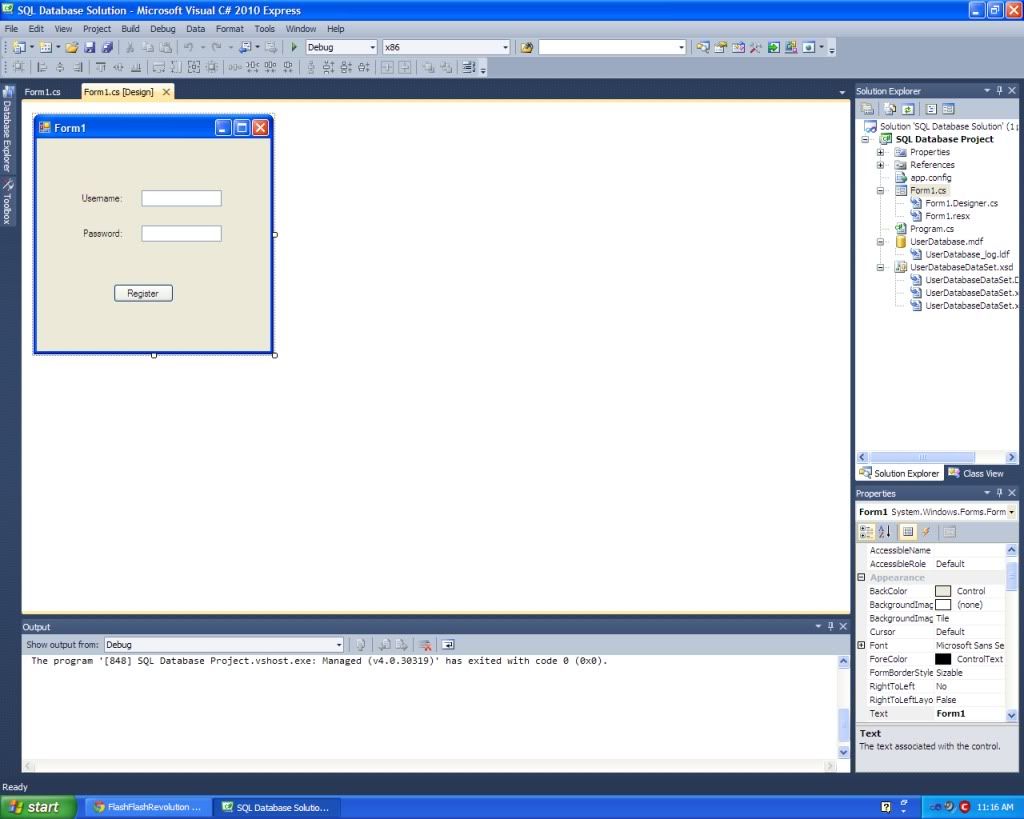
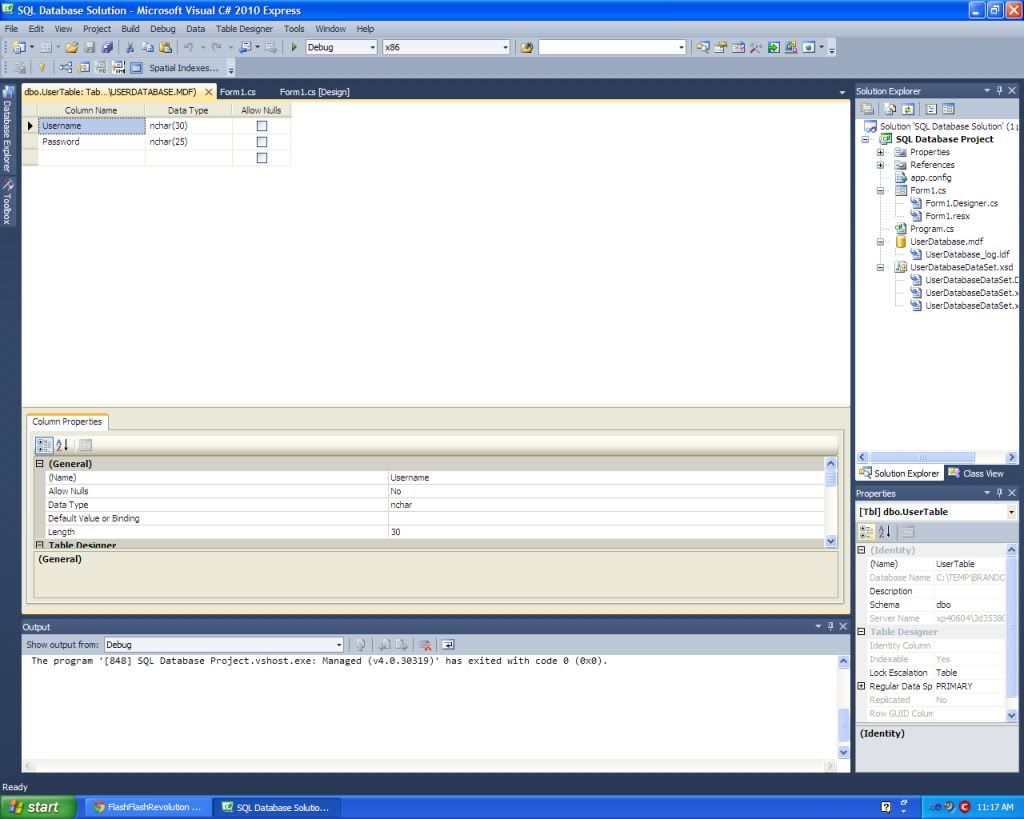
In my programming class I am trying to make an SQL Database in Microsoft Visual C# 2010 Express using a windows form that would allow you to input data (such as a username and password) into the database.

This is the first time I have messed with SQL and I have no idea what I am doing >.> I am not sure what you would need to know to help me but I will provide the code I have and a SS of the table I have for the database.
using System;
using System.Collections.Generic;
using System.ComponentModel;
using System.Data;
using System.Drawing;
using System.Linq;
using System.Text;
using System.Windows.Forms;
using System.Data.Sql;
using System.Data.SqlClient;

namespace SQL_Database_Project
{
public partial class Form1 : Form
{
public Form1()
{
InitializeComponent();
}

private void RegisterButton_Click(object sender, EventArgs e)
{
string connection = @"Data Source=.\SQLEXPRESS;AttachDbFilename=|DataDirector y|\UserDatabase.mdf;Integrated Security=True;User Instance=True";
SqlConnection cn = new SqlConnection(connection);
string username = UsernameTextBox.Text;
string password = PasswordTextBox.Text;
string sqlquery = "INSTERT INTO [UserTable] (Username, Password) VALUES ('" + UsernameTextBox.Text + "," + "'" + PasswordTextBox.Text + "')";
SqlCommand command = new SqlCommand(sqlquery, cn);

try
{
cn.Open();
}
catch (Exception)
{
MessageBox.Show("Did not connect");
}
command.Parameters.AddWithValue("Username", username);
command.Parameters.AddWithValue("Password", password);
command.Parameters.Clear();
}

private void Form1_Load(object sender, EventArgs e)
{
string connection = @"Data Source=.\SQLEXPRESS;AttachDbFilename=|DataDirector y|\UserDatabase.mdf;Integrated Security=True;User Instance=True";
SqlConnection cn = new SqlConnection(connection);

try
{
cn.Open();
}
catch (Exception)
{
MessageBox.Show("Did not connect");
}
}
}
}


http://i1232.photobucket.com/albums/ff375/ElitexNinja/SQLDatabaseForm.jpg
http://i1232.photobucket.com/albums/ff375/ElitexNinja/SQLDatabaseTable.jpg

Velocity
10-27-2011, 11:38 AM
string sqlquery = "INSTERT INTO [UserTable] (Username, Password) VALUES ('" + UsernameTextBox.Text + "," + "'" + PasswordTextBox.Text + "')";

You spelt INSERT wrong.

I don't have any C# knowledge, just pointing the SQL mistype out :p

Izzy
10-27-2011, 11:47 AM
I've never tried using SQL with C# but I don't see anything wrong with this simple example other than what velocity pointed out.

You have these lines both on load and when you click register. This is most likely redundant.


string connection = @"Data Source=.\SQLEXPRESS;AttachDbFilename=|DataDirector y|\UserDatabase.mdf;Integrated Security=True;User Instance=True";
SqlConnection cn = new SqlConnection(connection);


Perhaps just make sql connection CN a global undeclared variable, and declare it on load.

Elite Ninja
10-27-2011, 11:52 AM
ok thanks. I will see if that fixes things. I feel so stupid not seeing that mistype x.x

I am in lunch right now and so I won't be able to try it until my next class which is LAN.

fido123
10-27-2011, 12:23 PM
Always check your database queries manually in the MySQL command line. Regardless of OS, get into its CLI and execute:
mysql -uroot -p
Assuming its on your local system and you don't have proper users set up.

Also if they're making you code applications that use databases with zero knowledge of them learn them. It's mind boggling to me why on earth they would do that.

Edit: also instead of taking a screen shot in the MySQL CLI you can just use: DESC <tableName>
then copy paste.